How Can I Fix the Syteca Form Filler Issue in Chrome After Updating to Version 149?
The Syteca Form Filler extension is fully functional in Chrome versions prior to 149. Starting from Chrome 149.0.7827.54, the extension may not appear in the browser and credentials are not inserted automatically while using Web Account Secret.
Until a permanent fix is released, the following workaround can be used to restore the Form Filler functionality.
To work around the issue:
Open the Chrome browser.
Enter chrome://flags/ in the address bar.
Find the Extensions on chrome:// URLs option and set it to Enabled.

Restart Chrome.
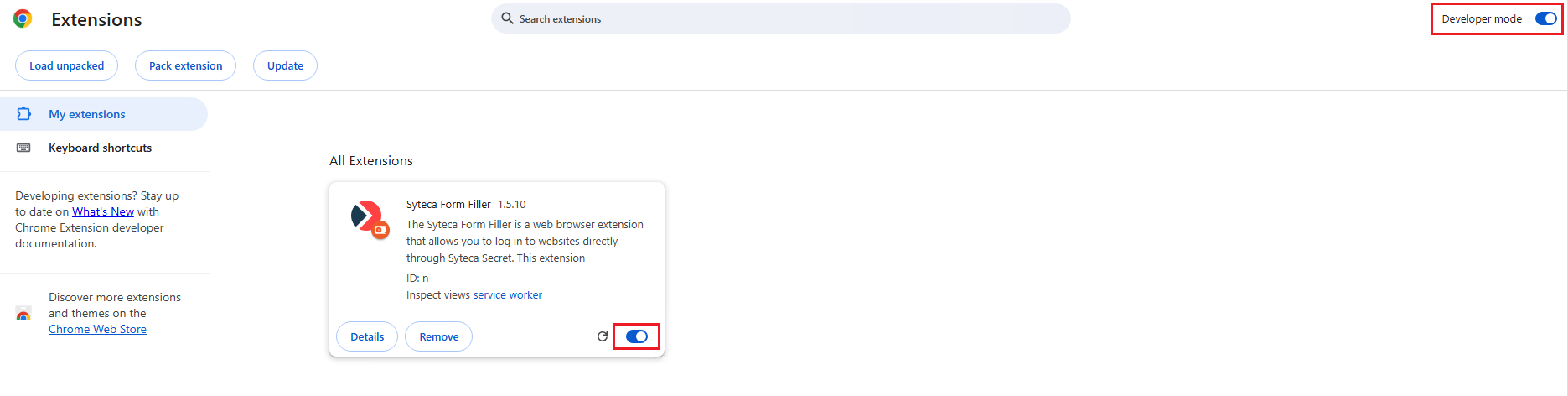
Navigate to Chrome Settings → Extensions and enable Developer mode.
Enable the Syteca Form Filler extension.
Launch Web Account Secret via the Syteca Desktop Connection Manager.